Business Calendar
Note: Business Calendar applies only to Inactivity Alerts. If you are not defining an Inactivity Alert, go to “Arrival Alert” on page 354 or “Mailbox Error Alert” on page 356.
To define the Business Calendar
|
2
|
|
3
|
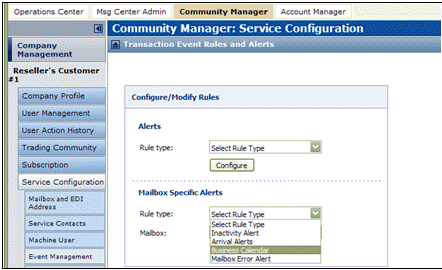
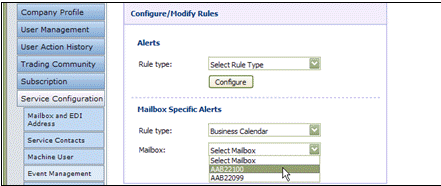

|
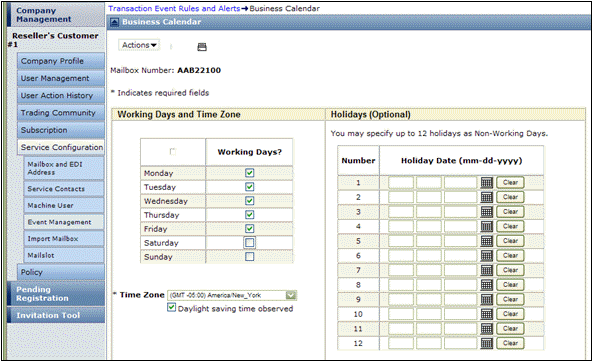
Working Days — Days to consider as “working” or “business” days. Inactivity alerts process Working Days only.
|
|
|
Time Zone — Select the time zone for your community.
|
|
|
Daylight saving time observed — Select this if your community observes Daylight Savings Time.
|
|
|
Holidays — Days Trading Grid Online should ignore as non-Working Days. Use any days, not only holidays. Click the calendar icon to select each holiday date.
 |
|
5
|
Click Save.
|
 Trading Grid Online User Guide PDF
