Account Manager : Mailboxes and EDI Addresses : Add or Delete Mailbox Addresses : Terminate Associated Partnerships

Terminate Associated Partnerships

Before deleting an EDI address, you must first verify whether any associated partnerships exist that reference the EDI address. If partnerships do reference the address, then the partnerships must be terminated so the EDI address can be deleted.

To verify and terminate associated partnerships

1
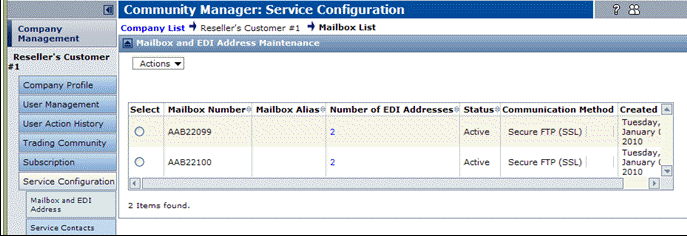
On the Account Manager tab, click Service Configuration > Mailbox and EDI Address.

The Mailbox and EDI Address Maintenance page opens.
2
In the Number of EDI Addresses column, click the number for the applicable mailbox.

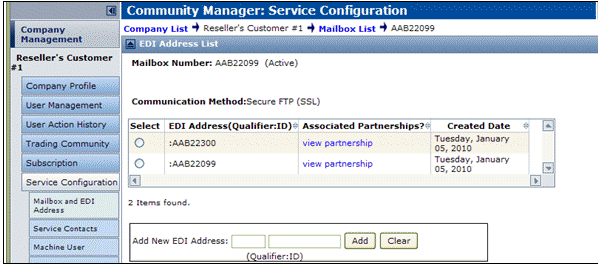
The EDI Address List page opens displaying the EDI addresses and associated partnerships for the selected Mailbox number.

3
4
*
No link displays in the Associated Partnerships? column, close the page and continue to “Add or Delete Mailbox Addresses” on page 341.
*
The View partnership link displays in Associated Partnerships? column, click the link.

Identify the partnership(s) that need to be terminated then return to the Mailbox and EDI Address Maintenance page. Continue to step 5.

5
Click Trading Community.

The EDI Address list page opens.

6
7

16.2 release. Updated October 23, 2016


Trading Grid Online User Guide PDF


Copyright © 2016 Open Text. All rights reserved.
Trademarks owned by Open Text.