To filter report data on FAM reports
|
1
|

|
3
|
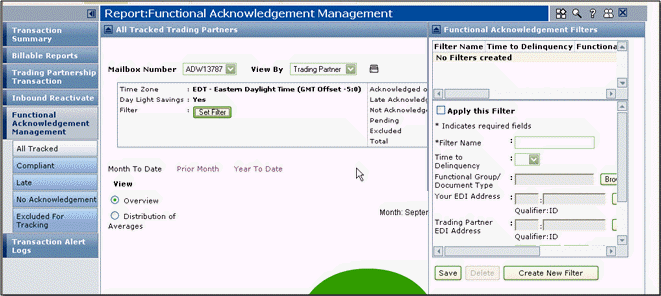
The Functional Acknowledgement Filters page opens.
|
4
|
|
Click Browse to find and select a specific document type. If you do not make a selection, data for all document types shows in the reports.
|
|
|
Click Select to select which of your EDI addresses to see reports for. If you do not make a selection, data for all of your EDI addresses shows in the reports.
|
|
|
Click Select to select which of your trading partner EDI addresses to see reports for. If you do not make a selection, data for all EDI addresses for all trading partners shows in the reports.
|
|
6
|
To apply the filter to your current report data, select the Apply This Filter option.
|
|
7
|
Click Create New Filter.
|
To deactivate, modify, or delete the filter
|
1
|
|
3
|
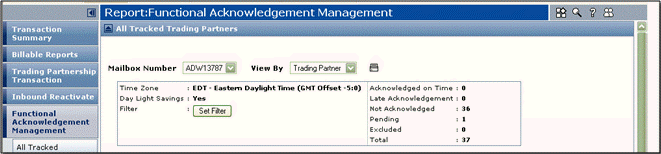
In the statistical area at the top, click Set Filter.
|
The Functional Acknowledgement Filters page opens.
|
4
|
Click the Filter Name to re-activate, deactivate, modify, or delete.
|
|
Click Delete.
|
|
|
Clear (deselect) the Apply This Filter check box.
|
|
|
Select the Apply This Filter check box.
|
|
6
|
Click Update.
|
 Trading Grid Online User Guide PDF
