To update profile information
|
1
|
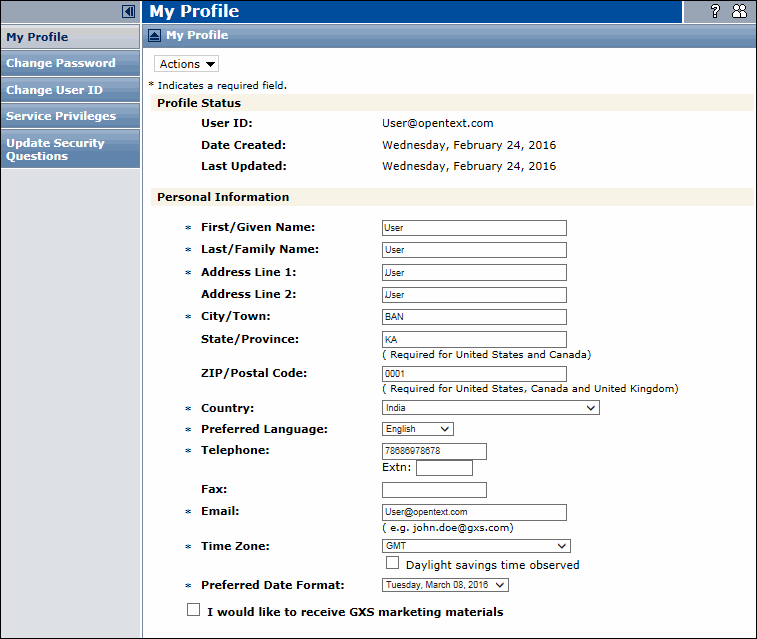
Click My Profile.
|
|
2
|
Update your information in the Personal Information section, as needed.
|
|
3
|
To view Service Privileges
|
1
|
Select Service Privileges from the My Profile page.
|
Example: Service Access Priviledges (not a complete list of services).
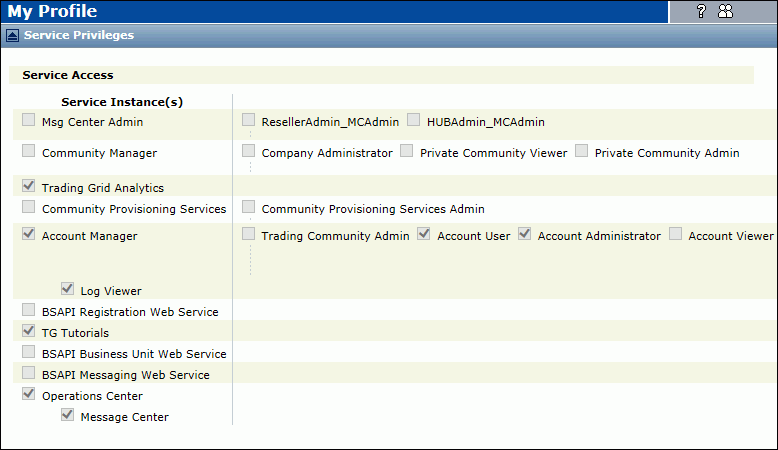
Note: Only your Company Administrator can add or change your access privileges in Trading Grid Online.
To change your password
|
1
|
Click Change Password from the My Profile page.
|
|
3
|
To change your User ID
|
1
|
Click Change User ID.
|
|
3
|
To update security question information
|
1
|
Click Update Security Questions.
|
|
3
|
When finished, click Submit.
|
 Trading Grid Online User Guide PDF
