Use this procedure to view the file history, such as when the file was uploaded or downloaded.
A hub user can view the action history for himself or herself or a trading partner company.
To view status and user for a file in FTS
|
1
|
|
4
|
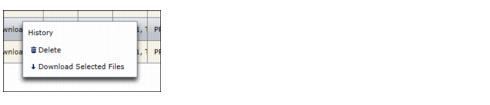
Click History. A dialog box displays the history of actions for the file.
|
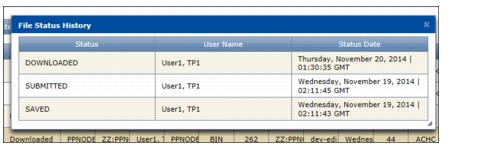
The dialog box contents include the following:

Note: A file in Submitted status may also include a Saved status that occurred a few seconds earlier. Both occur in FTS after a user uploads a file.
 Trading Grid Online User Guide PDF
