To delete uploaded files
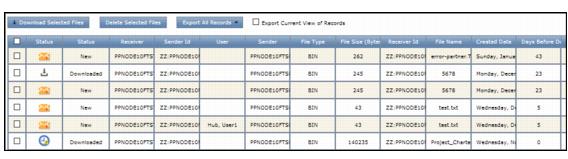
The default file retention period is 45 days after upload. The Days Before Deletion column in the Retrieve Files and Send Files lists indicates how many days remain before the system automatically deletes a file.
OpenText archives automatically deleted files for another 320 days.
To delete files in FTS
|
1
|
|
4
|
Click Delete Selected Files. A confirmation message displays, and FTS removes that file row
|
 Trading Grid Online User Guide PDF
