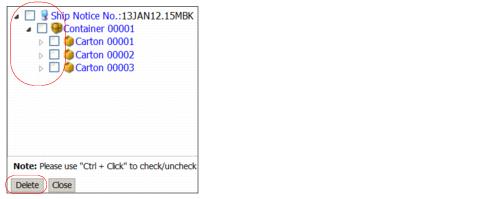
To view the packing hierarchy and delete multiple packages
|
1
|
|
3
|
Click Delete.
|
To view the packing hierarchy and delete multiple packages
|
16.2 release. Updated October 23, 2016  Trading Grid Online User Guide PDF
|

Copyright © 2016 Open Text. All rights reserved. Trademarks owned by Open Text. |