To create a new document template
|
1
|
Click the Document Manager tab.
|
|
2
|
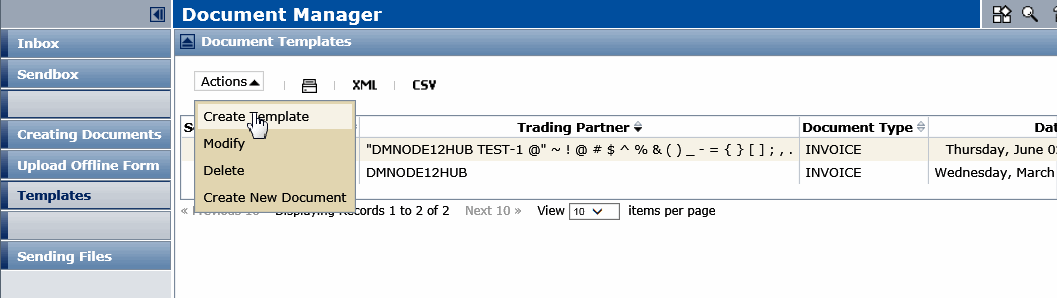
Click the Templates tab in the Navigation Panel
|
|
3
|
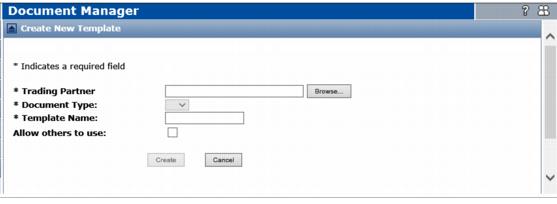
The Create New Template page opens.

|
In the Trading Partner field, type the company name of the Trading Partner that will receive the document.
|
|
|
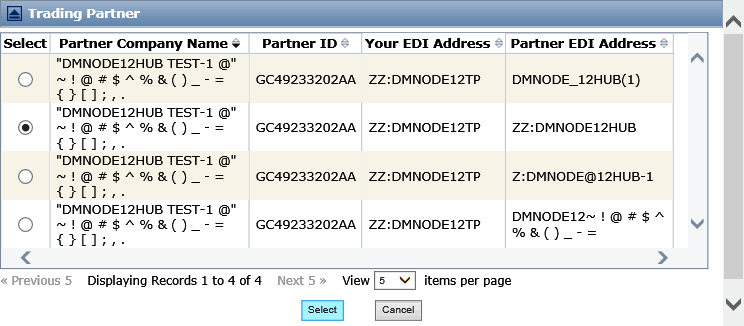
Click Browse to find the Trading Partner.
|
|
b
|
Click Select.
|
|
5
|
Select the type of document template to use from the Document Type drop-down menu, for example, such as Invoice.
|
|
6
|
Type a name for the new template in the Template Name field.
|
|
7
|
If you want other users to have access to the template, check the Allow others to use checkbox.
|
|
8
|
Click Create.
|
A new form opens. The example template below does not use a Document Viewer form.
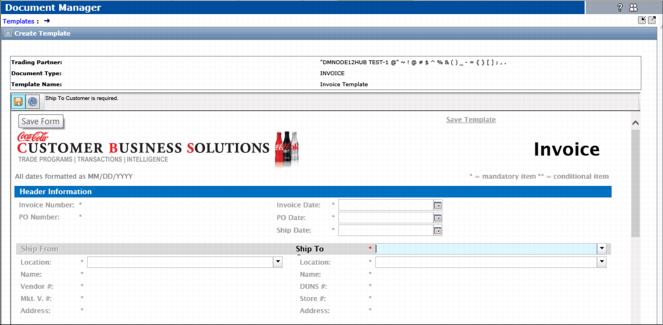
 to save the form template.

|
To open the form, click Open in the prompt.
|
|
|
To save the form, click Save, and select a save option.
|

 Trading Grid Online User Guide PDF
