Arrival Alert
To create an enhanced arrival alert
|
1
|
From the Transaction Event and Rules and Alerts page (see “Define the Alerts”), under Enhanced Alerts, click Select Rule Type.
|
|
2
|
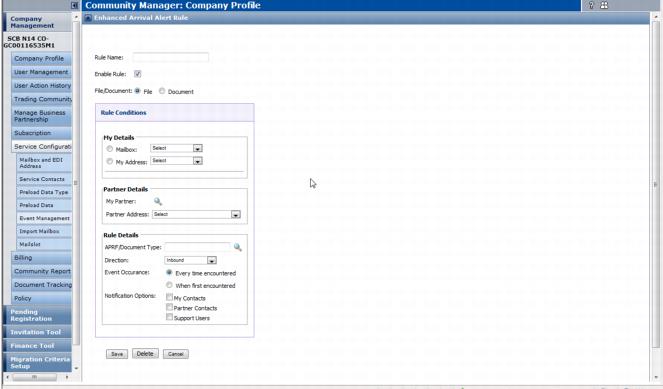
The Enhanced Arrival Alert Rule page opens.
|
Otherwise, from the Mailbox dropdown, select the company mailbox for this rule.
|
|
|
Enter the Start Time for receiving alerts.
|
|
|
Enter the Stop Time for receiving alerts.
|
|
|
4
|
Click Submit.
|
 Trading Grid Online User Guide PDF
