To configure Trading Partner currency settings
|
1
|
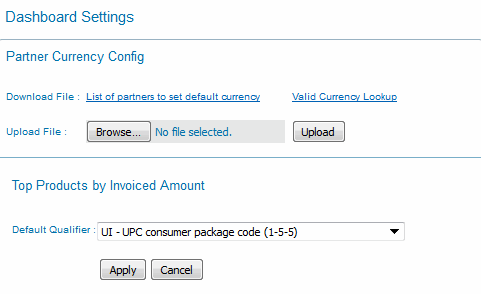
Click Dashboard Settings in the Analytics Dashboard.
|
The Dashboard Settings page opens.
|
2
|
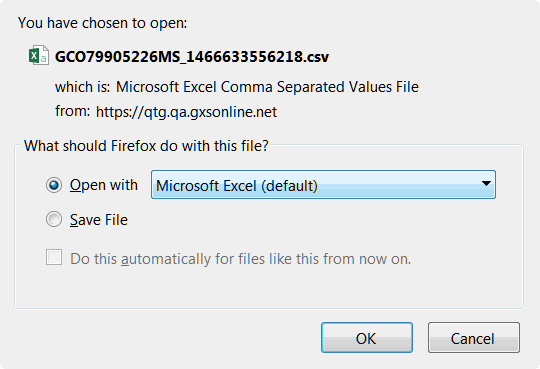
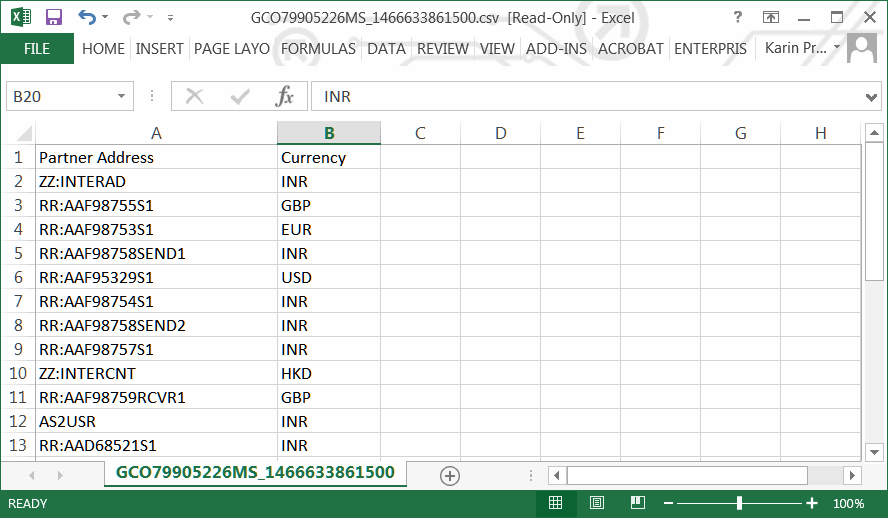
Click Download File: List of partners to set default currency to generate a .csv file.
|
|
5
|
Click Save and specify the location for the file.
|
|
6
|
After saving the .csv file, click Browse in the Partner Currency Config dialog box to select the file.
|
|
7
|
Click Upload.
|
The system automatically runs the default currencies that you set for the trading partners.
 Trading Grid Online User Guide PDF
