Active Invoices with Compliance : Search for Invoices Using Active Invoices : Invoice Information Page : Send PDFs to AIC

Send PDFs to AIC

If authorized by your System Administrator, users can send PDFs created on their system directly to AIC for signing and storing.

Authorize AIC to receive and sign PDFs

Note: The System Administrator must set the following:
*
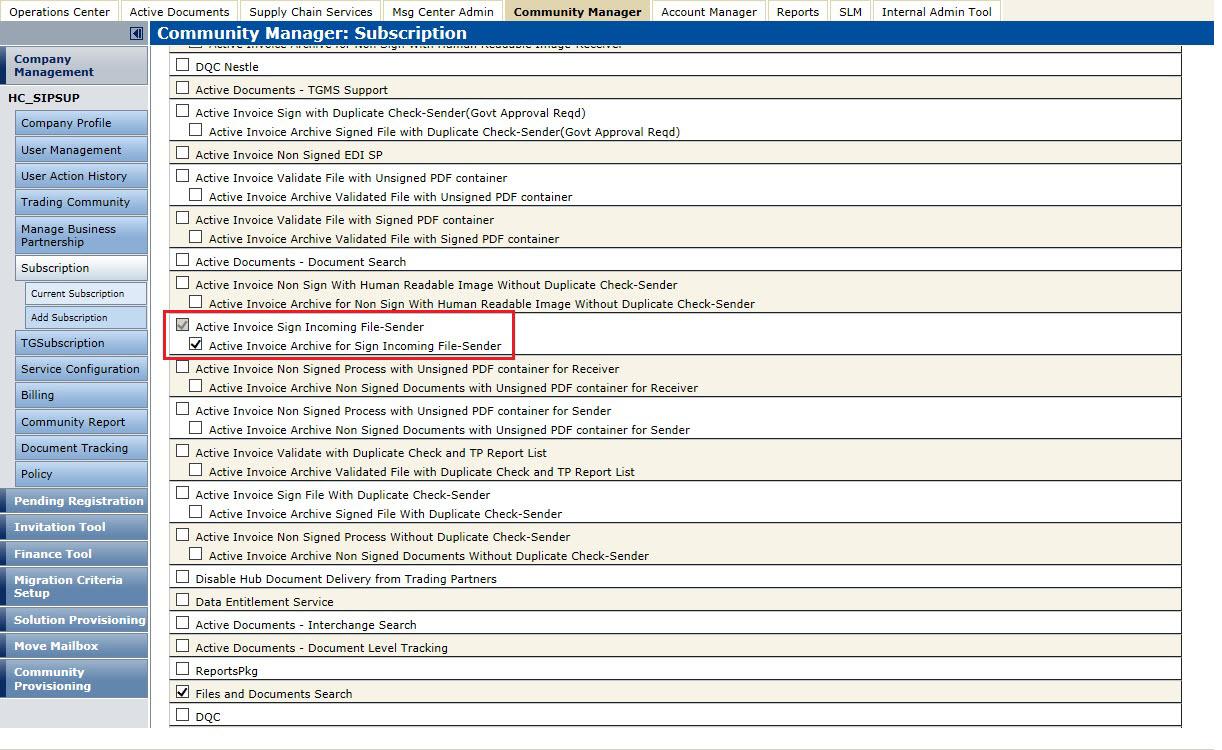
In the Account Manager: Service Configuration page, set the subscription package to Active Invoice Sign Incoming File-Sender for the subscription.
*
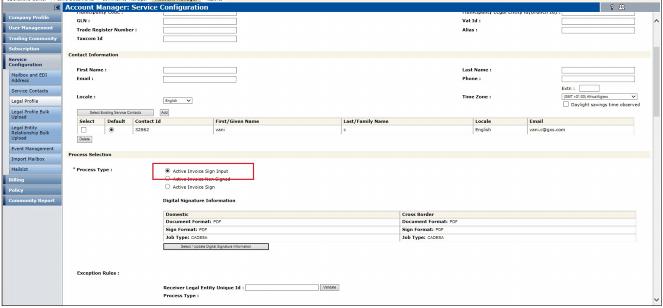
Set the Process Type to Active Invoice Sign Input in the Legal Profile section.
.

Below is an example of the subscription required for this feature.
.
Important: When AIC receives the data and creates the PDF, it validates that all of the incoming data is legal and compliant. To create a legal invoice, AIC reviews the data and makes sure that all mandatory fields are complete, then creates the PDF. If a user sends the PDF, AIC cannot validate the content or open the PDF to make sure all mandatory fields are completed.

16.2 release. Updated October 23, 2016


Trading Grid Online User Guide PDF


Copyright © 2016 Open Text. All rights reserved.
Trademarks owned by Open Text.