Active Invoices with Compliance : Search for Invoices Using Active Invoices : Upload Unrelated and Non-sequential Invoices

Upload Unrelated and Non-sequential Invoices

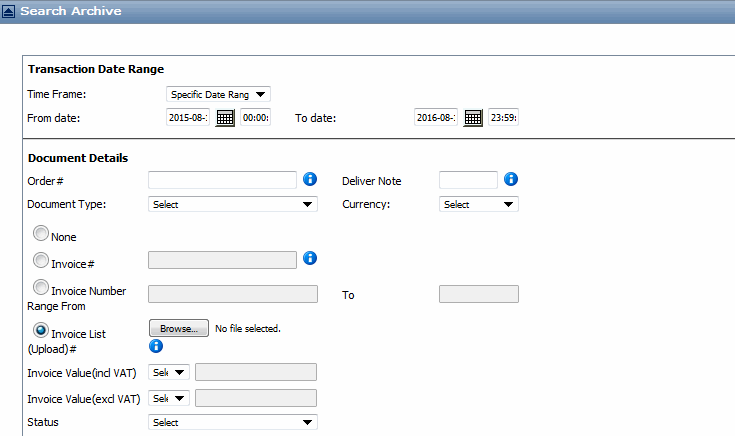
From the Search Archive page, you can search for invoices with non-sequential invoice numbers and upload them as .csv files.

Search for Non-Sequential Invoices or Unrelated Invoices
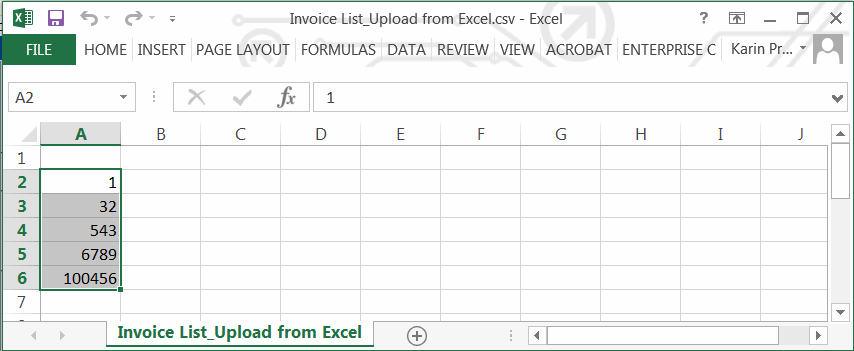
When searching for these types invoices, specify a specific invoice number or range, for example, invoice numbers 100 to 200. You can also search for invoice numbers that are not sequential, for example, Invoice 1, Invoice 542, Invoice 10137, etc.

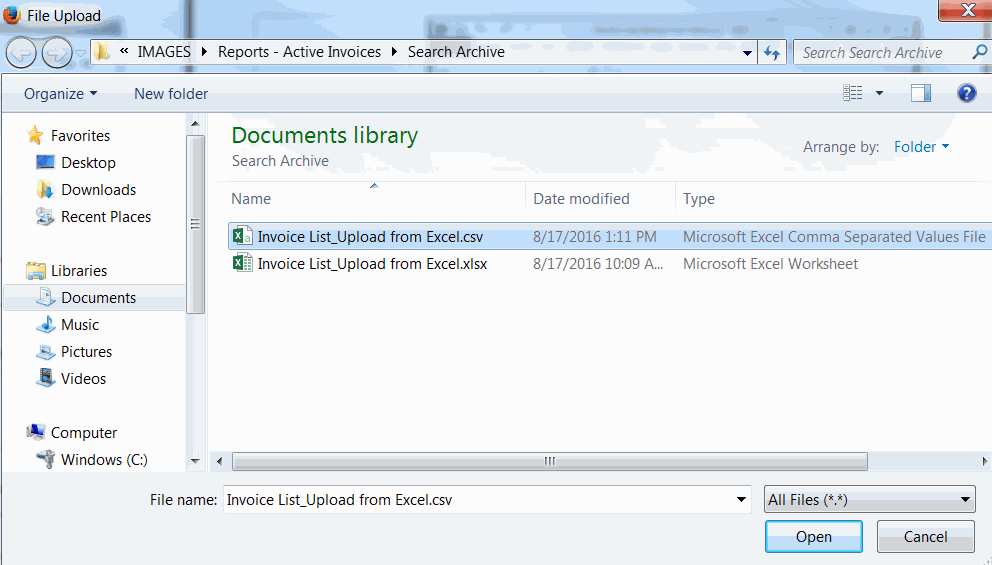
Then, instead of having to perform multiple queries, you can upload a list of unrelated, non-sequential invoices in a comma delimited value (csv) file to the search page.

1
Note: The list can contain up to 500 invoices.
2
Select Invoice List on the Search Archive page.
3
Click Browse, and specify the location of the .csv file to upload.

The invoices display in the Invoice List.

Note: You can also use the text field with comma separators to search for multiple invoices or type ‘*’ for a wild card search, for example *, *ABC or *ABC*.

16.2 release. Updated October 23, 2016


Trading Grid Online User Guide PDF


Copyright © 2016 Open Text. All rights reserved.
Trademarks owned by Open Text.