Search For Interchanges
To search for Interchanges
|
1
|
Click the Reports tab in Trading Grid Online.
|
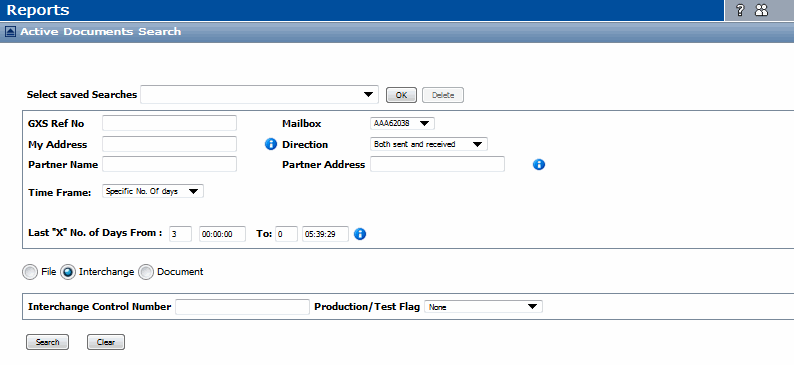
The Active Documents Search page opens.
|
2
|
Select Interchange to open the Interchange search section.
|

|
4
|
Click Search.
|
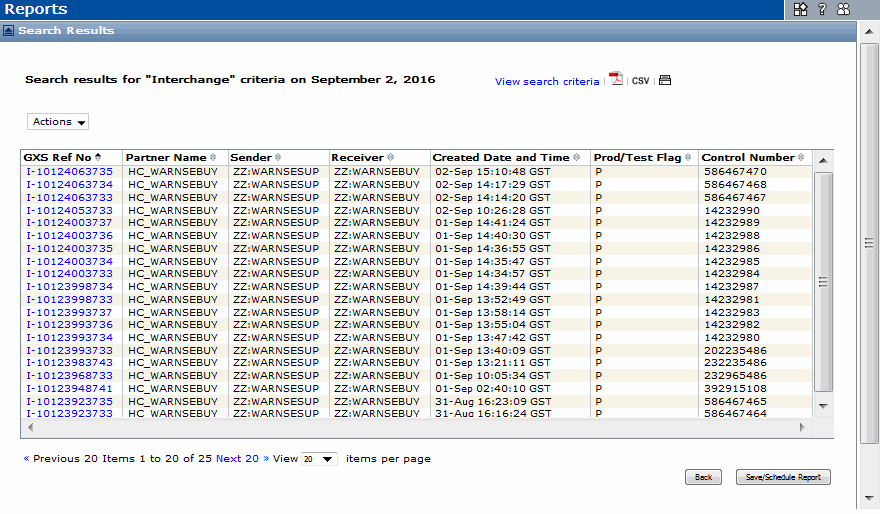
The Interchange Search Results display for the invoice Interchanges that meet the search criteria. By default, the page sorts the Interchange list by Created Date and Time, starting with the most current date and time.
See “View Search Results” on page 123.
 Trading Grid Online User Guide PDF
