Search For Files
To search for files
|
1
|
Click the Reports tab in Trading Grid Online.
|
The Active Documents Search page opens for a File search by (default).
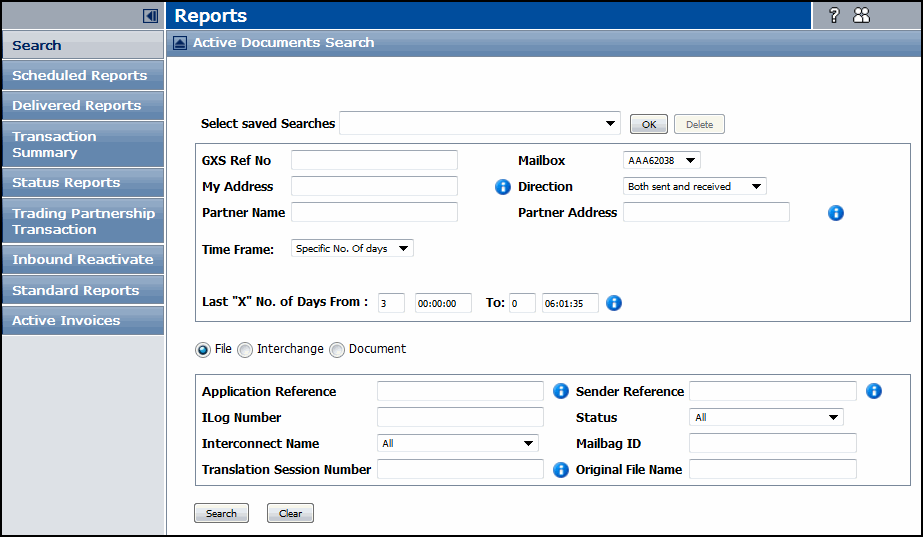
|
Example: 850,810
|
|||||||||
|
Example: 850
|
|||||||||
|
Example: 613821382
|
|||||||||
|
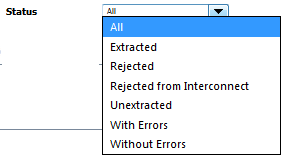
A list of possible statuses for a search, which can apply to both inbound and outbound transactions.
 |
|||||||||

|
3
|
Click Search.
|
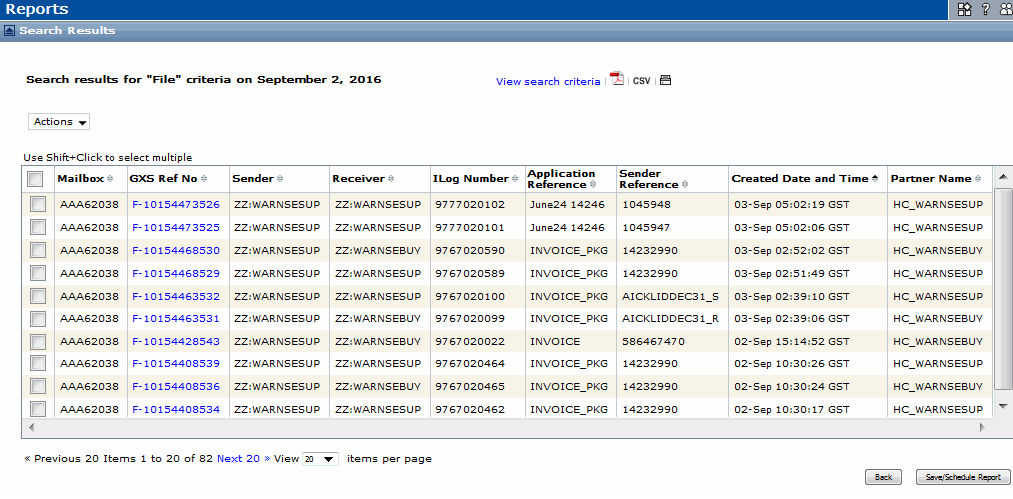
The File Search Results page lists the files that meet the search criteria by the most recent timestamp (Created Date and Time column). See “View Search Results” on page 123.
 Trading Grid Online User Guide PDF
