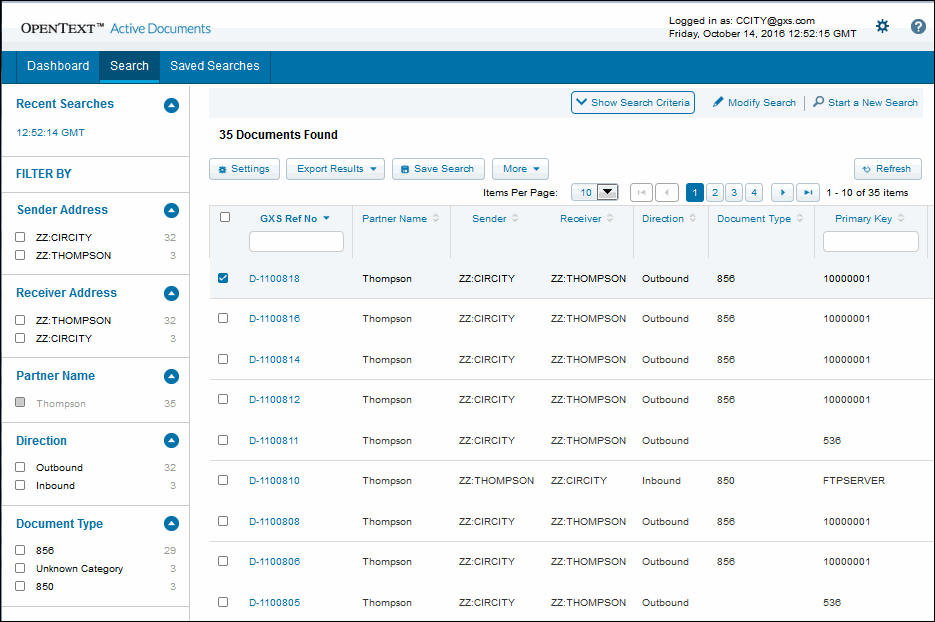
View Search Results The Search Results page displays the applicable file, document, or interchange transactions, based on your search criteria. From the Search Results page, you can perform several tasks: Download the search results in PDF or CSV format, including batch downloads. Download single files or multiple files. Create a subset of the search results. Specify search filter criteria. Change the default settings for search results. Save the search criteria. Use the filters to create a subset of your results, including by Sender/Receiver Address(es), Trading Partner Name, Direction, and Document Type.
The Search Results page displays the applicable file, document, or interchange transactions, based on your search criteria.
From the Search Results page, you can perform several tasks:
16.2 release. Updated October 23, 2016
