To define a key name
|
1
|
|
2
|
Click Add.
|

|
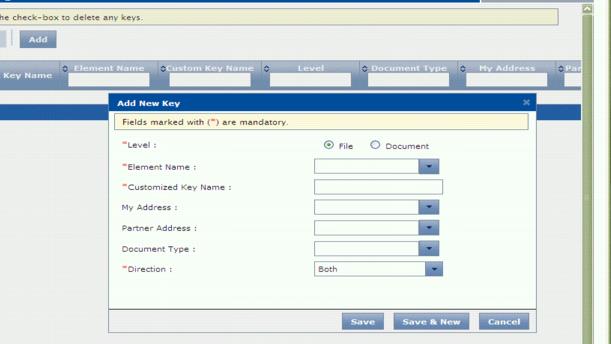
Level (required) — Select the applicable option:
|
|
|
Document — Data is transformed into (or from) EDI format.
|
|
|
File — Data is transformed between two custom data formats.
|
|
|
Element Name (required) — From the drop-down menu, select the applicable element key name to replace.
|
Note: Existing key names are case-sensitive. Select the correct version of the key name for your data.
|
|
Custom Key Name (required) — Enter a unique name to use for this key.
|
|
|
Direction (required) — Select the direction(s) when the custom key name applies.
|
The remaining fields are optional. You can limit the use of the new custom key name to one of your own addresses, and/or a specific trading partner’s address, and/or document type. Click the dropdown to select a value.
|
4
|
 Trading Grid Online User Guide PDF
