Account Manager : Company Profile Information

Company Profile Information

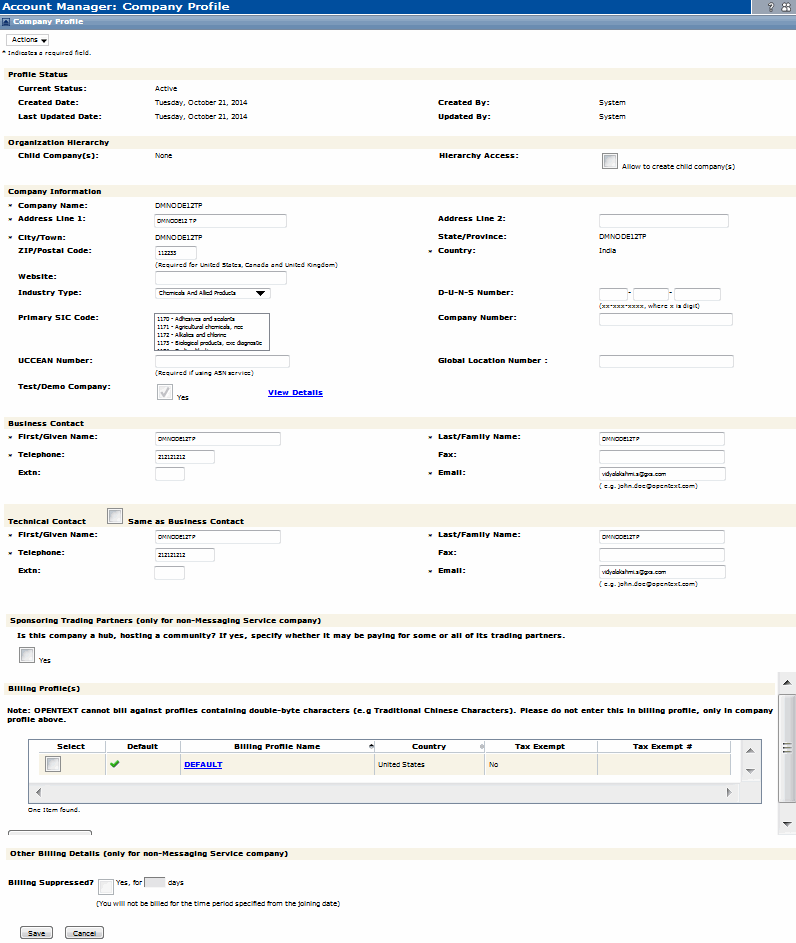
The Company Profile page is the Account Manager home page. If a company’s profile information changes, update the profile accordingly.

The Company Profile page consists of these sections:

If your company has child companies, select the Allow to create child company(s) option.
Company Information, Business Contact, Technical Contact

To change the company profile

1
2
*
Click Actions > Save.
*
Click Save.

16.2 release. Updated October 23, 2016


Trading Grid Online User Guide PDF


Copyright © 2016 Open Text. All rights reserved.
Trademarks owned by Open Text.